WHAT'S NEW?
Loading...
Every once in a while you see a phone that’s so impressive you can’t ignore it, even if you know it’s not going to be your next phone. Such is the case with the Turing Phone, a Lollipop-powered Android handset that’s not only supposed to be more durable than any other smartphone on the planet, it’s also seemingly far more secure than rival handsets.


As CNET reports, the Turing Phone, made by Turing Robotic Industries, is made by liquidmorphium and it features advanced data security.
Liquidmorphium isn’t the metal injected into Wolverine’s body. It’s an “amorphous alloy of zirconium, copper, aluminum, nickel and silver,” and it has an atomic structure that’s more like glass than aluminum or steel, but much stronger than either of those metals. The phone also has certain elements made of ceramic and aluminum.
The Turing Phone has a 5.5-inch 1080p HD display, 2.5GHz Qualcomm Snapdragon 801 processor, 3GB of RAM, 64/128GB of storage, 13-megapixel camera and 3,000 mAh battery.
As for the Android security side of things, the Turing Phone is probably a rival for Silent Circle’s Blackphone handset. The device packs a Turing Imitation Key security chip that authenticates encryption locally, which means it’s always offline and out of hackers’ reach, unlike third-party services that issue security certificates from online servers. The downside of the feature appears to be that you can only exchange encrypted data in such a manner with other Turing Phone owners.
The Turing Phone will start selling on August 10th priced at $750 for the 64GB model and $870 for the 128GB model. A 16GB version is also in the works, but pricing isn’t available yet.
More pictures showing the Turing Phone follow below.


  
                                                 P.C - http://bgr.com/


If you are looking for messing with a Facebook friend, then you are at the right place. In This Article you will Learn how to Update your friends Facebook status via Facebook upload.php? 

This Prank might give your friend a break down.


Let's Get Started

Step 1: Make sure to send this link: (https://m.facebook.com/upload.php?email&_rdr), to the person you want to target. A New Facebook window will open up just like in the image below

Step 2: Ask the victim to give you the email address That he saw on the link you gave him just like the one beneath "Post It By Mail" In the picture above

Convince Him Like This

 "Hey man there's a problem with my Facebook ID, It is showing a new email to every person who goes to the link. Please forward me the email Address that you can see here. I wanna check if its still the same or has the bug been fixed :'("


This Might Do the trick ☺☺☺☺☺

Step 3: Log in to your Gmail Account, and hit "Compose a new message"

Step 4: Type the email the, one that your victim gave you in the send to box and the message you wanna post in the subject box like this


Step 4: Hit the send button and check your victims timeline :-P


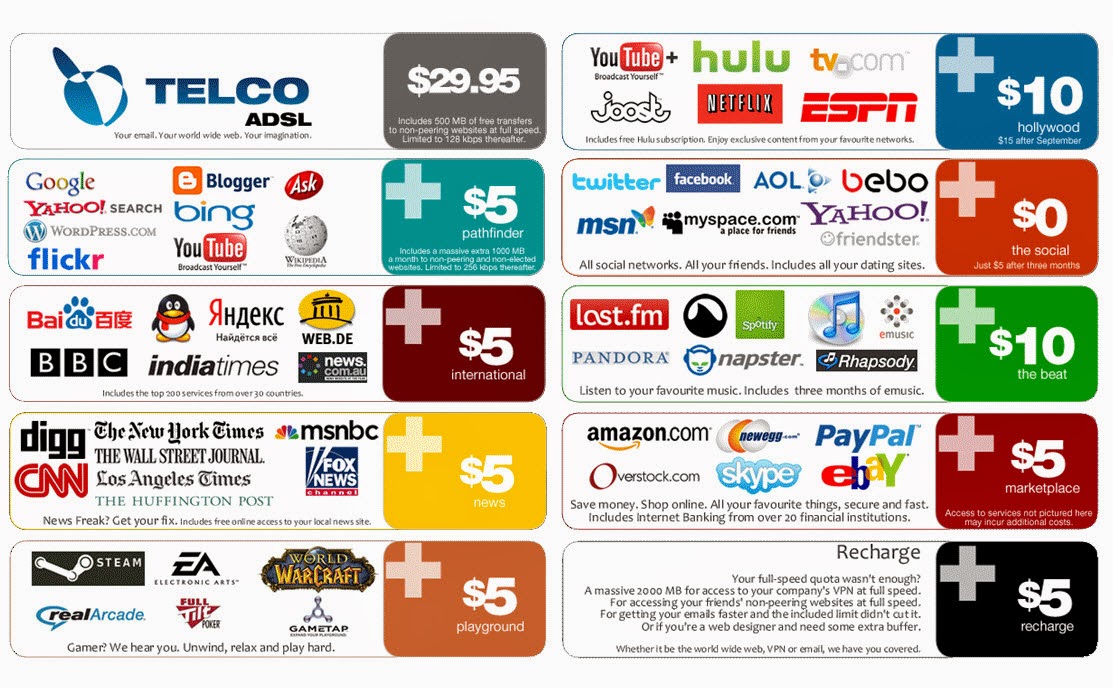
Send TRAI your views, protect #NetNeutralityIndia and #SaveTheInternet - www.savetheinternet.in


he internet's success in fostering innovation, access to knowledge and freedom of speech is in large part due to the principle of net neutrality — the idea that internet service providers give their customers equal access to all lawful websites and services on the internet, without giving priority to any website over another.
Due to intense lobbying by telecom operators like Airtel and Vodafone, the Telecom Regulatory Authority of India (TRAI) is planning to allow them to block apps and websites to extort more money from consumers and businesses — an extreme violation of net neutrality.

TRAI has released a consultation paper with 20 questions spread across 118 complicated pages and wants you to send them an e-mail by 24th of April, 2015.
Join us in fighting for net neutrality. Let’s remind TRAI that their job is to protect the rights of consumers, not the profit margins of telcos. Let’s demand access to the free, open internet.
                                           Submit your response to TRAI >>

This summary is not available. Please click here to view the post.

What Is Carding?

Carding is a way, by this way u can buy any product from online shopping sites..... in other words carding means hacked credit card From uniccshop.ru.


And Then We Go To Sites Like Shoping Or Else. And Then We Can Chose Any Product Of Price Which You Have Buyied By Money. We Can Buy 10000 Rs Credit Card By Just 600 Rs. So We Will Get Benifit Of So Many Rs. Now Select A Product. Enter Your Dilevery Address, In Payment Mode Select Credit Card And Fill Your Card Details. Then Complete Your Order.In This There Is No Chance Of Being Affraid Or Being Caught. For Your Safety You Can Change Your Ip Address With Vpn, Proxy Or Else. So Now Its Done. Enjoy Carding. Dont Share It.


Be Happy :)

=> How to change ip address

=> Amazon carding method
=> Ebay carding method
=> Snapdeal carding method
=> How to become a pro carder
=> 100bestbuy carding method

=> What Is Carding? part-2


Many Android devices lack the option of enabling 3G only mode, providing only an option to switch to 3G preferred mode only. Often, 3G/WCDMA preferred mode leads the phone to switch to 2G in case 3G signals aren't that strong. While it isn't always good to operate your phone on weak signals, there are situations where you need faster interenet connection which makes sticking to 3G a must.


Enable 3G only network mode on any Android device:

  • Go to your Phone/Dialer app and dial the following USSD code: *#*#4636#*#*

A popup window will open something like this:


  • Select the first option from the list that appears i.e. Phone Information
  • Scroll down till you get to the Set preferred network type heading. By default, it might be on GSM only (i.e. 2G only) or WCDMA preferred (i.e. 3G preferred). Change this option to WCDMA only and your phone will automatically switch to 3G only mode.


  • Unless you understand what you are doing, don't tweak any other option in this menu as it can lead to problems.
If you are having a dual sim phone, you can go to Wireless and Networks >> More >> Mobile Networks >> 3G service and select which sim you want to activate 3G on.


Bonus tip: If you select the third option i.e. Usage statistics(from the popup that appears after dialing the USSD code *#*#4636#*#*), you will see an interesting breakdown of the time you've spent on your phone - which app you've used for the longest duration, which app has been launched the highest times etc.

Most Trending